A practical Australian guide to online safety for parents, young people, schools, and clinicians, covering eSafety reporting, under-16 social media rules, cyberbullying, sextortion, deepfakes, phishing, malware, gaming p
Educational information, not individual clinical, legal or regulatory advice. No independent review is identified for this article. Editorial policy and corrections.
Online safety in Australia is no longer just about screen time, stranger danger, or telling kids to put their phones away at dinner.
It now includes social media age restrictions, group chat abuse, sextortion, image-based abuse, deepfakes, phishing, malware, AI companions, gaming microtransactions, battle passes, grooming, privacy loss, and the way platforms are designed to keep people emotionally hooked.
For parents, schools, and clinicians, that can make the whole topic feel too broad to get your arms around. For young people, it can feel even worse. A problem may start as a joke, a flirtation, a private message, a "free skin" link, or a fake account. By the time an adult notices, the damage may already feel public, humiliating, and hard to reverse.
This guide pulls the Australian picture together in one place. It is grounded in eSafety guidance and current Australian rules, but it also goes further into the everyday harms people often underestimate: exclusion in group chats, emoji-coded bullying, currency distancing in games, battle-pass pressure, AI-generated sexual abuse, fake giveaways, hacked accounts, and the risks of treating chatbots like safe emotional support.
This article is general information only and is not legal, clinical, crisis, regulatory, or registration advice. If someone is in immediate danger, call 000. For urgent online harm, child exploitation concerns, or criminal offending, contact police and use the appropriate reporting pathway.
If you want the shorter companion guides that sit underneath this pillar, start with the branch that matches the problem in front of you:
If someone shows you something alarming online, the first fifteen minutes matter.
000 or police.For clinicians thinking about online contact through an ethics lens as well as a safety lens, Dual Relationships in Psychology: Where the Ethical Lines Actually Are is the closest companion article in the current blog cluster.
Jump to a section
The old model of online safety was narrower. It focused on obvious threats like strangers, explicit content, and "don't share your address".
That advice still matters. It is just no longer enough.
The modern online risk picture includes:
In Australia, the eSafety Commissioner is the main national regulator for serious online harms. That makes eSafety a central practical reference point for this topic, especially when harmful content needs to be reported or removed.
eSafety helps Australians deal with serious online abuse and harmful content. That includes different reporting pathways depending on the kind of harm involved.
Broadly, eSafety can help with:
That content can appear in many forms:
For cyberbullying of a child or for adult cyber abuse, eSafety generally expects the harmful content to be reported to the platform first. For image-based abuse, eSafety can often be approached more directly. For illegal content, serious threats, or criminal conduct, police or other reporting pathways may also be needed.
The key practical point is this: online harm is not "less real" because it happened on a screen. Australian systems increasingly treat it as real harm with real pathways for action.
Australia's social media age restrictions are now part of the online safety landscape and parents need to understand them clearly.
As of 10 December 2025, age-restricted social media platforms must take reasonable steps to prevent Australians under 16 from creating or keeping accounts. According to eSafety's current guidance, the main platforms required to do this include:
Under the Australian framework, the legal obligation sits with platforms, not with children or parents. Under-16s do not commit an offence by having an account, and their parents or carers do not commit an offence either. Platforms can face civil penalties if they fail to take reasonable steps to comply.
Under-16s are still allowed to view publicly available content that does not require a logged-in account.
These platform lists can change over time if services evolve or eSafety reassesses them, so it is worth checking the latest official list rather than relying on screenshots or parent-group summaries.
That distinction matters because many young people will still encounter trends, videos, harassment, extremist content, beauty standards, scams, and sexualised material through public viewing, screenshots, reposts, group chats, gaming communities, or older peers' accounts.
One of the biggest sources of confusion is the assumption that "under-16 social media restrictions" means "kids cannot use anything social online". That is not what the current Australian framework says.
As at eSafety's latest published view, under-16s can still have accounts on many services whose main purpose is messaging, gaming, education, or specific child-focused functions.
Examples eSafety currently says are not age-restricted social media platforms include:
That does not mean these services are risk-free.
It means they are not currently captured by this specific social media law. A child can still be bullied on a messaging app, pressured on Discord, groomed in a game, scammed through Steam, or exposed to harmful chat in Roblox.
For families, the better question is not just "is this legal for my child to use?" It is also:
One of the easiest mistakes for adults to make now is thinking in categories that no longer reflect how young people actually use the internet.
A child may say:
Functionally, though, many apps now blend together:
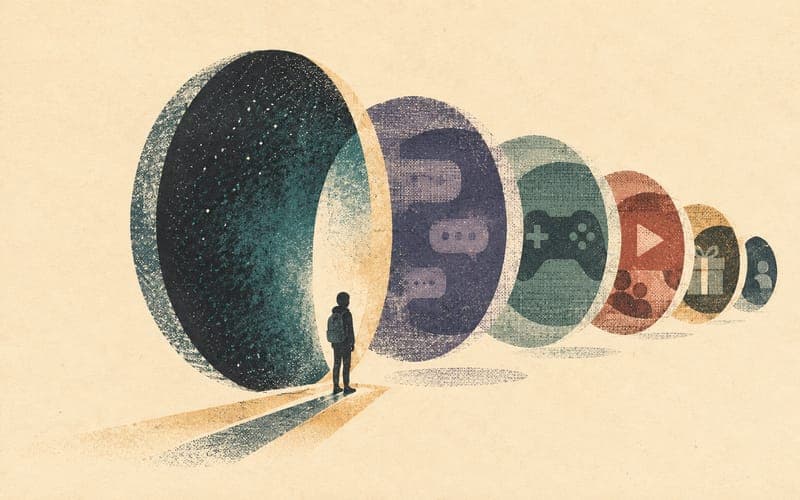
That means an app can act like social media, gaming, chat, streaming, and a marketplace all at once.
For parents, it helps to think less in terms of brand names and more in terms of features.
| Feature | Why it matters |
|---|---|
| Private messaging | Makes grooming, bullying, blackmail, and pressure easier to hide |
| Voice chat | Can expose children to adult language, coercion, harassment, or rapid trust-building |
| Group servers or group chats | Can scale exclusion, dogpiling, and screenshot abuse very quickly |
| Livestreaming | Increases exposure to public comments, gifting pressure, sexualised interactions, and parasocial attachment |
| Location sharing | Can expose routine, school, suburb, or movement patterns |
| In-app browser | Can be used to bypass some device-level safety limits |
| File sharing | Makes it easier to move images, links, and explicit content between people |
| Gifting systems | Can be used to build loyalty, obligation, or a sense of debt |
| Public discoverability | Makes it easier for strangers to find, add, follow, or contact a child |
| Linked accounts | One app can open the door to others, especially when gaming, streaming, and chat services are connected |
This is why "What app is it?" is only the first question.
The better follow-up questions are:
One of the biggest modern safety gaps is treating location tools as neutral convenience features.
In practice, location sharing can become a stalking, coercive-control, or peer-monitoring problem very quickly. eSafety warns that tracking can happen through apps, linked accounts, phones, watches, fitness devices, and small Bluetooth trackers.
Common pathways include:
Find My, Google location sharing, and family-location appsApple or Google accountsRed flags include:
This matters in family violence, stalking, coercive control, and teen relationship abuse. It also matters in ordinary school contexts, where a location-sharing tool can slide into monitoring, pressure, and punishment disguised as care.
If tracking is suspected, think carefully before changing settings in a way that may alert the person using the tool. Safety planning, police advice, and domestic or family violence support may be more appropriate than a quick technical fix.
Many parents still think online safety is mostly about content choice and self-control. The harder truth is that many platforms are built to reduce self-control.
The risk is not only what a child goes looking for. It is what the platform does to hold their attention, shape their mood, and change their behaviour.
Design features that matter include:
These features can amplify:
This same design logic also appears in games, AI companions, and some messaging platforms. Once you start seeing it as a behaviour-shaping system rather than just "content", a lot of young people's reactions make more sense.
Cyberbullying is often misunderstood because adults look for obvious cruelty and miss the social mechanics around it.
eSafety's own examples include hurtful messages, embarrassing images, gossip, exclusion, fake accounts, and tricking someone by pretending to be someone else. In real school and peer-group life, it often looks even messier and more coded than that.
Here are some common patterns.
| Behaviour | What it can look like |
|---|---|
| Public humiliation | Posting screenshots, private photos, jokes, edits, or "receipts" designed to embarrass someone |
| Dogpiling | A group repeatedly comments, reacts, mocks, or messages one person |
| Exclusion | Leaving someone out of group chats, events, tags, or inside jokes on purpose |
| Indirect posting | Vague posts clearly aimed at one person without naming them |
| Emoji-coded bullying | Using emojis as a sneer, sexual suggestion, threat, or group signal for mockery |
| Fake accounts | Impersonating someone to embarrass them or stir conflict |
| Screenshot abuse | Taking private chat content and redistributing it publicly or to wider groups |
| Ranking culture | "Rate them", "who is hottest", "who is most annoying", or poll-based humiliation |
| Ghosting as punishment | A deliberate sudden withdrawal used to create panic, shame, or social instability |
| Love bombing | Flooding someone with attention early to build dependency, loyalty, or pressure |
| Reactive set-ups | Provoking someone privately, then posting their reaction publicly |
| Group chat control | Removing and re-adding someone, renaming chats, muting them, or using seen-status to shame them |
Adults often dismiss emoji use because it looks trivial. It is not trivial when the meaning is shared by the group using it.
A single emoji can communicate:
Meaning comes from context, repetition, timing, and who else joins in.
Being left out online is often framed as unfortunate but not abusive. In practice, deliberate exclusion can be one of the most psychologically powerful forms of bullying, especially for children and teenagers whose social life is organised through group chats, streaks, snaps, Discord servers, or school-related messaging.
Not every intense crush, awkward withdrawal, or messy teen interaction is abuse.
But eSafety explicitly warns that love bombing can be part of coercive control when someone uses over-the-top affection to create a strong emotional bond and then leverage that bond to manipulate, pressure, monitor, or sexualise the other person. Ghosting can also become part of a control pattern when it is used strategically to destabilise someone, punish them, or push them into compliance.
For parents and schools, the safest frame is not "kids are dramatic online". It is "relationship behaviour online can become controlling, humiliating, and coercive very quickly".
Sextortion is a form of blackmail. eSafety describes it as threatening to share a nude or sexual image or video unless the person gives in to demands.
Those demands may involve:
This often starts with catfishing, flirting, or rapid intimacy. The offender may pose as an attractive peer, a romantic interest, or a person wanting to move quickly into sexual conversation. They may record a live chat, encourage a nude exchange, or pretend to have hacked a device.
Common targets include:
eSafety's core advice is practical:
If the person is under 18 and being blackmailed with sexual images, eSafety points people toward the Australian Centre to Counter Child Exploitation (ACCCE) as the best reporting pathway. If intimate content is shared online, eSafety may also be able to help remove it.
The most important message for young people is simple: being targeted does not make it your fault. Shame is one of the blackmailer's main tools.
Families, schools, and clinicians should also be careful not to investigate by forwarding, saving, or redistributing sexual images involving minors. If sexual material involving a child or teenager may be involved, seek advice from police, ACCCE, or eSafety rather than trying to "collect proof" in a way that creates further legal or safeguarding risk.
Deepfakes are no longer a niche tech problem. eSafety defines a deepfake as a realistic but false digital photo, video, or sound file of a real person created using AI.
That matters because deepfakes can now be used for:
eSafety also makes clear that image-based abuse includes intimate images that have been digitally altered, including deepfakes.
In school and youth settings, one of the most serious emerging harms is the use of "nudify" apps or image-editing tools to create fake explicit images from ordinary photos. Students sometimes talk about this as a joke, a prank, or "not real". The harm is still real.
The target may experience:
It may also trigger:
Deepfakes are also not limited to sexual content. Voice cloning, fake apology clips, fake admissions, and AI-generated screenshots can all be used to intensify bullying or social manipulation.
The same evidence caution applies here. If a deepfake or explicit image appears to involve a minor, do not forward it around a parent group, staff chat, or friendship group to prove it exists. Get advice from police, ACCCE, or eSafety and preserve only what is safe and lawful to preserve.

Gaming can be fun, social, creative, and regulating. eSafety emphasises that many children and teens have positive online gaming experiences.
The point is not that gaming is bad.
The point is that modern online games often combine:
That creates a different kind of risk picture from older offline gaming.
Microtransactions are small purchases made inside a game. They can buy:
eSafety notes that many games let players buy extras like avatar customisation, removing ads or wait times, and loot boxes that generate random rewards.
The problem is not just the existence of spending. It is how spending is framed.
Currency distancing is when a game inserts a fictional currency between the player and real money.
Instead of thinking:
I spent $14.99the player experiences:
I only used 1,200 gemsThat psychological distance matters. It makes spending feel less concrete, especially when:
eSafety explicitly notes that in-game currency can make it harder to see how much money is actually being spent.
Loot boxes, crates, cases, and bundles are random reward systems. eSafety describes them as purchases where you pay without knowing the value of what is inside, more like a lucky dip than a standard purchase.
In Australia, game classification rules changed on 22 September 2024:
MR 18+That matters for parents because it shifts loot boxes out of the "harmless game extra" category and closer to a gambling-like concern. It is also important to understand that M is advisory rather than a legal age ban, while R 18+ is a legal adult restriction.
Classification helps parents identify risk, but it does not necessarily remove gambling-like mechanics from games children can still access, especially across older classifications, mobile games, web games, third-party marketplaces, and overseas platforms.
Battle passes are time-limited reward tracks. They often combine:
A child who has paid for a battle pass may feel they now have to keep playing or they will "waste" the money. That can drive repetitive play even when the game has stopped being enjoyable.
Skins and cosmetic items may be framed as harmless because they do not always affect gameplay. Socially, though, they can matter a lot.
In some peer groups, cosmetics become markers of:
That can create real social pressure, especially in younger players who do not yet understand how deliberately these systems are designed.
Parents often focus on violence ratings and miss the wider ecosystem:
Online safety also includes basic cyber security.
The Australian Cyber Security Centre advises people to be suspicious of unsolicited messages, avoid clicking links or downloading files from people they do not know, and check requests through official channels rather than message links.
Children are often targeted through things they care about:
Here is the practical difference between a few common threats.
| Threat | What it means |
|---|---|
| Phishing | Fake emails, messages, or websites designed to steal passwords, money, or personal information |
| Smishing | Phishing sent by text message or messaging app |
| Malware | Harmful software that can spy on activity, damage a device, or steal information |
| Trojan | Malware disguised as something useful or legitimate, like a game mod, cracked file, or update |
| Account takeover | Someone gets into an account and uses it to scam others, impersonate the user, or access saved information |
| Credential stuffing | Reusing stolen passwords from one site to access accounts on other sites |
| QR scams | QR codes that redirect to fake logins, fake payments, or harmful downloads |
If malware may have been installed, the ACSC advises running antivirus or a security scan and reporting the incident to ReportCyber if appropriate.
A strong family rule helps a lot:
Do not enter passwords, payment details, codes, or personal information after clicking a link in a message. Go to the official app or website directly.
Scams are not only technical events. Many are relationship events.
Romance and relationship scams use attention, warmth, urgency, secrecy, and shame to move a person from ordinary conversation into financial risk. Scamwatch describes relationship scams as scams where someone uses romance, dating, or friendship to earn trust and then steal money. The profile and conversation may look ordinary at first; requests for money or secrecy often arrive only after trust has started to form.
The vulnerability is not gullibility. It is timing, loneliness, stress, and the normal human need for connection.
People can be more exposed after major life changes, including:
Those periods matter because they can change what a message means. A compliment can feel like relief. Daily check-ins can feel like stability. A stranger who "gets it" can feel safer than the people who are physically nearby.
The scripts are usually not random. They often include:
The clinical point is simple: the scammer is not only asking for money. They are shaping the emotional environment so that checking feels like betrayal and hesitation feels cruel.
Practical protective scripts include:
For families and clinicians, be careful about shaming language. People caught in relationship scams are often already embarrassed. A blunt "how could you fall for that?" can make the person hide the relationship more deeply. A better first response is: "This looks like a known scam pattern. You are not stupid. Let's slow it down and check it safely."
If money has been sent, contact the bank or payment provider quickly, preserve messages and transaction records, report the profile to the platform, and consider Scamwatch or ReportCyber depending on whether the issue is primarily fraud, account compromise, or cybercrime.
AI is now part of ordinary online life.
Young people may use AI for:
Some AI tools are general assistants. Others are built to feel like companions, partners, mentors, or therapists.
eSafety has warned about the risks of AI companions, especially for children and young people. These tools can create highly personalised, emotionally sticky interactions and may expose young people to sexual content, manipulative framing, dependency, or privacy risks.
Risks include:
The core message for families should be:
AI can be useful. It is not a trusted adult, not a therapist, not a lawyer, and not an emergency service.
This matters for clinicians, parents, and young people alike.
Some mental health-adjacent tools now market themselves as:
Some can be helpful in narrow ways. The risk is that people assume "sounds empathic" means "safe clinical care".
Ahpra's guidance on AI in healthcare says practitioners remain responsible for safe and quality care regardless of what technology they use. It also emphasises accountability, human judgment, transparency, informed consent, confidentiality, privacy, and checking the accuracy of AI-generated records.
That means a therapist or health practitioner should be cautious about:
The OAIC also states that the Privacy Act applies to uses of AI involving personal information, including commercially available AI products and publicly accessible chatbots.
For clients and families, the practical questions are:
For clinicians, the practical rule is stricter:
Do not treat convenience as consent, and do not treat automation as clinical accountability.
If you are thinking about how values, language, and documentation choices shape care for autistic and otherwise neurodivergent young people, What Are Neuroaffirming Templates, and Why Do They Look Different From Standard Clinical Resources? is the most relevant companion piece.
This is a broad Australian guide. It is not a substitute for checking each platform's current rules and your child's specific needs.
| Age | Practical focus |
|---|---|
| Under 5 | Very close supervision, parent-set content choices, no unsupervised messaging or uploads |
| 5 to 10 | Basic cyber safety, privacy, links, scams, kindness, asking for help, and strong parental controls |
| 10 to 12 | More explicit teaching about bullying, screenshots, spending, fake accounts, gaming chat, and social pressure |
| 13 to 15 | Age-restricted platforms must take reasonable steps to prevent Australians under 16 from having accounts; focus on safer messaging, gaming, education tools, and decision-making skills |
| 16 to 17 | Gradual independence with active teaching about consent, reputation, scams, privacy, sexual coercion, AI, and reporting tools |
| 18+ | Adult legal access does not remove risk; adult cyber abuse, image-based abuse, scams, coercive control, and deepfakes still matter |
The mistake adults often make is treating a birthday as a safety switch.
Turning 16 does not automatically create judgment, boundaries, emotional regulation, or scam resistance. Those still need to be taught, modelled, and practised.
Parents do not need to become surveillance officers. They do need a plan.
The most useful family online safety practices are usually the least glamorous:
Children need to know they can tell you if they:
If the expected response is rage, humiliation, or instant device confiscation, many children will hide the problem until it escalates.
Check:
Also check for:
Ask about:
Evidence matters. eSafety repeatedly advises collecting evidence before reporting, while being careful not to save illegal sexual material involving minors. If the material may involve a child or teenager, do not try to investigate it yourself by downloading, forwarding, or storing copies unnecessarily.
Children often know a situation feels wrong but do not know what to say.
Useful scripts include:
The first disclosure is not the end of the story. Shame, retaliation, school dynamics, and social fallout often continue after the post or image is removed.
For clinicians or school-based practitioners who need practical follow-up tools, Psychology Resources Australia, Practical psychology templates for therapy, assessment, and NDIS work, and How to make psychoeducation handouts clinician-friendly are the best starting points in the broader PsychVault library.
Parents often get pulled toward two extremes:
Neither extreme works especially well on its own.
eSafety's current guidance is more balanced than that. Parental controls can help, but they work best when combined with conversations, shared expectations, active oversight, and settings that are reviewed over time.
Depending on the device, platform, or account, parental controls may help you:
Some examples eSafety points families toward include:
Apple Screen Time, Family Sharing, and Communication SafetyGoogle Family Link and Google Play parental controlsMicrosoft FamilyXbox, PlayStation, Nintendo, Steam, and other platformsDiscord Family CentreParental controls do not reliably:
They also do not cover every environment equally well. eSafety notes that mobile and browser-based games often have fewer built-in safety controls than major consoles, which means parents may need to rely more on device settings, supervision, and app-specific checks.
Monitoring software can include:
Used carefully, these tools can help parents notice patterns early.
They can be especially useful when:
But there are trade-offs.
Over-monitoring can:
The best use of monitoring tools is usually transparent rather than covert. eSafety's own parent guidance encourages adults to be upfront with children about the controls being used and to review them as the child grows and shows responsible behaviour.
eSafety's parental-controls summary sheet highlights several common workarounds:
This is one reason a purely technical approach fails. Children do not need to be "bad at tech" to get around a settings-based system. Often they just need curiosity, a bored afternoon, or a friend's suggestion.
The goal is not perfect control.
It is to make risky behaviour harder, support-seeking easier, and family trust strong enough that controls are not the only safety system in the house.
If you want something you can copy into a note, parent handout, school wellbeing document, or staff briefing, start here.
If you want a school and developmental lens on youth wellbeing systems more broadly, Educational and Developmental Psychology in Australia is the closest companion article in the current blog cluster.
Schools should stop treating online harm as "not our issue because it happened after school".
In reality, many online incidents affect:
At minimum, schools should have clear internal processes for:
They also need a response culture that does not accidentally punish the target for disclosing.
That means avoiding reflexive responses like:
Different harms need different pathways.
What this guide does not cover: This guide does not replace legal advice, school policy, mandatory reporting obligations, clinical risk assessment, or police advice in emergencies.
| Situation | Best first pathway |
|---|---|
| Child cyberbullying on a platform, app, or game | Report to the platform first, then to eSafety if serious and unresolved |
| Adult cyber abuse | Report to the platform first, then to eSafety if serious and unresolved |
| Image-based abuse without blackmail | eSafety can be approached directly |
| Sextortion involving a child or teenager | ACCCE / police urgently; also preserve evidence and seek support |
| Intimate image shared online | Platform reporting plus eSafety removal pathway |
| Malware, hacking, cybercrime, account compromise with criminal elements | ReportCyber |
| Scam attempt without a loss | Report the account or service, then Scamwatch |
| Scam loss | Contact the bank or payment provider immediately; report to Scamwatch and ReportCyber |
| Immediate physical danger, threats, stalking, child exploitation concerns | Police / 000 in emergencies |
The sequence matters less than making sure the person is safe, supported, and not left handling it alone.
Online harm does not always announce itself clearly.
A child, teenager, or adult may need help if they:
A strong first response is:
"You're not in trouble. Show me what happened and we'll work out the next step together."
Yes. eSafety's published guidance is clear that under-16s should still report harm. The child is not the one in legal trouble.
No. It only means it is not currently captured by that specific social media restriction framework.
Not in the simple sense many parents assume. But Australian classifications changed in September 2024, and games with paid chance-based purchases now attract stronger classification treatment. That should be treated as a meaningful warning sign.
Yes. The image may be fake, but the humiliation, sexualisation, fear, and reputational harm are real.
Usually no. Immediate confiscation can shut down disclosure and destroy trust. Safety steps may include restricting use for a period, but the first priority is support, evidence, and the right reporting pathway.
Sometimes, but only with strong privacy, consent, governance, and human oversight. Public chatbots are not a safe default place for identifiable client information.
Online safety in Australia is now a mix of law, design, psychology, cyber security, and relationship literacy.
Families do not need to become experts in every platform. They do need to understand the core patterns:
eSafety should be treated as a major Australian anchor point for help. But the protective work usually happens earlier, in ordinary conversations about group chats, fake accounts, gaming purchases, private images, pressure, privacy, and what to do when something feels off.
The goal is not to raise children who are frightened of the internet.
It is to raise children, and support adults, who know what harm looks like, know they can ask for help, and know that online problems deserve calm, practical action rather than secrecy and panic.
See all online safety articles: Online Safety in Australia: topic hub →
Share your thoughts and experiences with this resource.
Sign in to leave a comment
Continue with the complete online safety in australia collection.
Find templates, handouts, and clinical tools created for use in real psychology and allied health work.
What should Australian psychology practices do about smart glasses? Explore covert recording, WA law, consent, waiting-room privacy and accessibility-aware policy.
A practical Australian guide to AI companions, chatbots, privacy, deepfakes, emotional dependence, and the risks of using AI for support, advice, or therapy-adjacent care.
A practical Australian guide to the under-16 social media rules, what platforms are age-restricted, what children can still use, where parents get confused, and what schools and clinicians should say about it.